Export COA Data
Use the Export Chart of Accounts Data feature to save the following items to a file and/or Send via Email: Account Type, Fund Name, Account Name, Account Number (if enabled), Account Comments, Beginning Balance, Activity for each month.
To access the Export COA Data screen:
- From The Initial Portal of Church Windows choose Accounting
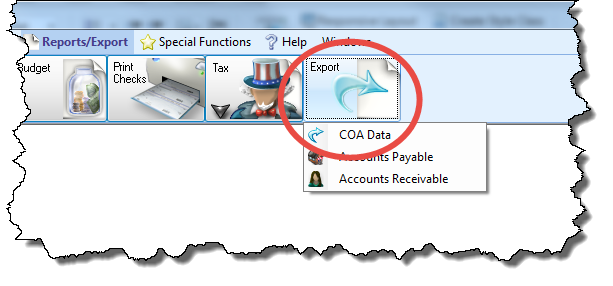
- Click Reports/Export in the Button Bar at the top of the screen.
- Click the option for Export
- Choose COA Data:
- Click the dropdown box and select the AccountingYear on the Options tab.
- If you would like to export a specific set of accounts, click the Custom Account Groups tab and place a
 checkmark next to each group you wish to apply.
When finished making your selections, click the Export button and either choose an Export Document type or Send via Email.
